Make classroom bingo from your own lesson words
Use 30 science terms to create a class set of vocabulary bingo cards, with a practical calling routine and printable sample.
Try the worked example
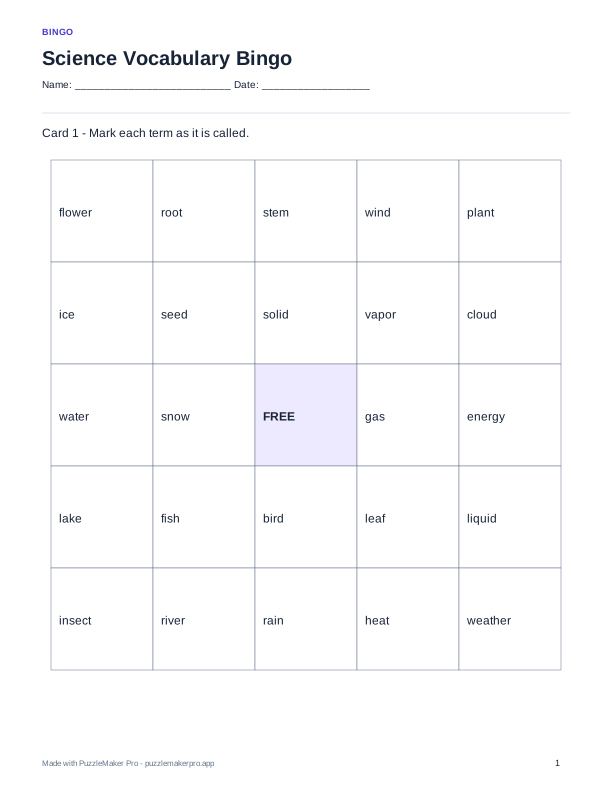
A fixed sample generated with PuzzleMaker Pro. Download it for classroom use or follow the steps to make your own version.
Download sample PDF · 6 cardsAssistant connection instructionsBuild a usable vocabulary pool
This sample uses 30 familiar science terms for a six-card small-group activity. A five-by-five card with a free center needs 24 unique terms; a larger pool lets cards differ in both arrangement and selection. Keep words short enough to read comfortably in a cell. For a single-unit review, replace the mixed science list with words students have actually studied rather than adding unfamiliar terms just to reach the minimum.
Generate a class set, not repeated copies
After connecting PuzzleMaker Pro to an assistant that supports remote MCP connections, send the prompt below. It requests six distinct cards in one generation. For a larger class, change six to the number of students, up to 30 cards per request. Preview more than the first card and confirm the free center is included. Printing one card six times would produce identical boards, so export the generated class set together.
Prepare the caller list
Use the supplied vocabulary as your caller checklist and mark each item when called. For a recognition round, say the word aloud. For a retrieval round, give a reviewed clue: “Water in its gas state” for vapor, “The part of a plant that takes in water from soil” for root, or “The place where an organism lives” for habitat. Make the intended answer unambiguous. Avoid “Something plants need,” which could match water, light, or soil in this list.
Explain how a win is checked
Agree on the pattern before starting: one horizontal, vertical, or diagonal line, with the center already marked. When a student calls bingo, have them read back the marked words and check them against the caller checklist. Several students may win on the same call even with different boards. For the next round, ask a student to explain one marked term before clearing the cards.
Print and reuse thoughtfully
Download the public six-card sample below to try the activity without setup. For your own generated set, ask the assistant to export the current cards and connect a teacher account when prompted. Free accounts have 10 monthly exports shared with website usage; Pro provides unlimited exports and removes watermarks. Bingo is a printable class-set activity in this integration and does not support individual online student assignments. Keep student names out of the card content.
Copy this prompt
Use PuzzleMaker Pro to create 6 different 5 by 5 bingo cards titled Science Vocabulary Bingo, with a free center. Use these items: water, cloud, rain, vapor, river, lake, ocean, sun, wind, snow, ice, soil, rock, plant, root, stem, leaf, flower, seed, insect, bird, fish, habitat, energy, light, heat, solid, liquid, gas, weather. Show the preview before preparing a PDF class set.
The integration currently supports English letters and basic punctuation. Review all content before class. Custom ChatGPT connections depend on your plan and workspace; this guide does not claim directory approval.
PuzzleMaker Pro Team
Published September 10, 2026